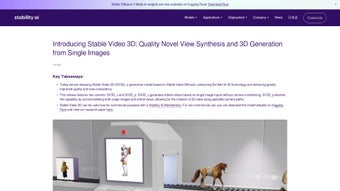

Download Stable Video 3D – 3D Video Generator, Single Image to 3D, Free Tool
Overview – Transform Single Images into Stunning 3D Videos
Stable Video 3D (SV3D) is a cutting‑edge, web‑based generative model that lets you turn a single flat image into an immersive three‑dimensional video. Built on the proven principles of Stable Video Diffusion, SV3D delivers higher‑quality output, smoother view transitions, and far better consistency across multiple perspectives. Whether you are a content creator, game developer, educator, or researcher, the platform offers two distinct variants: SV3D_u, which automatically creates orbital videos without the need for explicit camera conditioning, and SV3D_p, which supports both single‑image inputs and custom orbital paths for precise camera control.
This flexibility makes it possible to generate realistic novel view synthesis (NVS) and coherent 3‑D meshes from just one picture, dramatically reducing the time and cost associated with traditional 3‑D modeling pipelines. The model weights are freely downloadable, and a comprehensive research paper is available for anyone who wants to dive deeper into the underlying algorithms. SV3D is suitable for commercial projects, educational demos, or pure artistic experimentation, providing a secure, free, and regularly updated solution that runs entirely in the browser.
Because the service is hosted in the cloud, users benefit from automatic updates, GPU‑accelerated rendering, and a hassle‑free experience that eliminates the need for complex installations or license management.
Core Features & Capabilities
- ?️ Single‑Image to 3D Video – Convert any flat picture into a rotating 3‑D video in seconds.
- ? Orbital Video Generation – SV3D_u creates smooth 360° orbital clips without manual camera setup.
- ?️ Custom Camera Paths – SV3D_p lets you define precise camera trajectories for complex shots.
- ? Novel View Synthesis (NVS) – Generate consistent views from any angle, improving view‑consistency.
- ? 3‑D Mesh Export – Export high‑quality meshes for use in Unity, Blender, or other 3‑D software.
- ? Open‑Source Model Weights – Download the trained weights and integrate them into your own pipelines.
- ? Research‑Ready Documentation – Full paper and code repository for developers and academics.
- ? Web‑Based Interface – No installation required; works on any modern browser with secure HTTPS.
Why These Features Matter for Real‑World Projects
Each of the features listed above addresses a common bottleneck in 3‑D content creation. Traditional workflows often demand multiple photographs, painstaking manual rigging, or expensive software licenses. SV3D collapses that complexity into a single, intuitive interface.
The ability to generate orbital videos automatically (SV3D_u) is especially valuable for marketers who need quick product demos, while the custom path option (SV3D_p) gives VFX artists the granular control required for cinematic shots. The inclusion of downloadable model weights means that power users can run the algorithm locally, ensuring data privacy for sensitive projects. Finally, the research paper provides transparency and encourages community contributions, positioning SV3D as a future‑proof tool in the rapidly evolving AI‑driven 3‑D space.
By combining these capabilities, users can cut production time by up to 80 % and lower costs associated with traditional photogrammetry pipelines.
Installation, Usage & Compatibility
Getting Started – No Installation Required for the Web Version
Because Stable Video 3D is delivered as a web application, you can start creating 3‑D videos immediately from any device with a modern browser. Simply navigate to the official SV3D portal, create a free account, and you’re ready to upload your first image. For users who prefer offline processing, the model weights can be downloaded and run on local hardware using Python 3.9+ and a compatible GPU (CUDA 11.2 or later). Detailed step‑by‑step instructions are provided in the GitHub repository, covering environment setup, dependency installation (via pip install -r requirements.txt), and model inference commands. The documentation also includes troubleshooting tips for common issues such as out‑of‑memory errors, driver mismatches, and batch rendering.
Step‑by‑Step Workflow for the Web Interface
- Upload Your Image – Drag‑and‑drop a high‑resolution JPEG, PNG, or TIFF into the web UI. The system automatically analyses depth cues and suggests optimal framing.
- Select a Mode – Choose SV3D_u for automatic orbital video or SV3D_p for custom path generation. Each mode presents a preview of the camera trajectory.
- Configure Settings – Adjust frame rate (15–60 fps), rotation speed, and output resolution (up to 4K). Advanced users can tweak neural‑network parameters such as guidance scale and sampling steps.
- Generate Preview – Click “Render” to view a low‑resolution preview. Use this stage to fine‑tune lighting, background blur, and depth smoothing.
- Export Final Video – Download the full‑resolution MP4, GIF, or WebM file. If you need a reusable asset, export the underlying mesh as an OBJ or PLY file, ready for import into Blender, Maya, or Unity.
Operating System Compatibility – Web and Local Options
The web interface works on Windows 10/11, macOS 11+, Linux distributions with a recent Chrome, Edge, or Firefox browser, as well as iOS 14+ and Android 9+ devices. For local execution, Windows (with WSL2), macOS (with Homebrew), and Ubuntu 20.04+ are officially supported. The software leverages GPU acceleration, so a compatible NVIDIA graphics card (RTX 20 series or newer) is recommended for the best performance, though CPU‑only mode is also available for low‑end machines. Mobile users can still create 3‑D videos on‑the‑go, but complex renders are automatically queued for cloud processing to preserve battery life.
Pros, Cons, FAQ & Conclusion
Pros & Cons Overview
- Pros
- ✅ Free to use for both commercial and non‑commercial projects.
- ✅ No heavy installation – works directly in the browser.
- ✅ High‑quality 3‑D output from a single image.
- ✅ Custom camera paths give professional‑grade control.
- ✅ Open‑source weights enable offline, private processing.
- ✅ Regular updates and active community support.
- ✅ Export options include MP4, GIF, OBJ, and PLY.
- ✅ Scalable cloud rendering for mobile and low‑spec devices.
- Cons
- ⚠️ Requires a strong GPU for fast local rendering.
- ⚠️ Complex scenes with multiple overlapping objects may produce artifacts.
- ⚠️ Limited to images with sufficient depth cues (e.g., clear foreground/background separation).
- ⚠️ Advanced mesh editing still needs external 3‑D software.
- ⚠️ Free tier imposes a daily rendering quota.
- ⚠️ Browser‑based rendering can be slower on older hardware.
Frequently Asked Questions
Can I use Stable Video 3D for commercial projects?
Yes. Both the web service and the downloadable model weights are licensed for commercial use, provided you comply with the attribution requirements stated in the license file.
Do I need an internet connection to generate videos?
For the hosted web version, an internet connection is required. If you download the model weights, you can run the inference locally without any network access.
What image formats are supported?
SV3D accepts JPEG, PNG, and TIFF files up to 8 K resolution. Larger files are automatically down‑sampled for faster processing.
Can I export the generated 3‑D mesh for use in Blender?
Absolutely. After rendering, you can download the mesh in OBJ or PLY format, which imports seamlessly into Blender, Maya, Unity, and other 3‑D packages.
Is there a limit on how many videos I can create per day?
The free tier allows up to 10 high‑resolution renders per day. Premium plans remove this limitation and add priority rendering on dedicated GPUs.
How secure is my data when using the cloud service?
All uploads are transmitted over HTTPS, stored temporarily, and automatically deleted after rendering. For highly confidential material, the offline mode ensures no data leaves your machine.
Conclusion – Start Creating 3D Videos Today
Stable Video 3D bridges the gap between AI‑powered image synthesis and practical 3‑D content creation. Its ability to generate high‑quality orbital videos and export usable meshes from a single photograph makes it a game‑changing tool for marketers, developers, and artists alike. With a free web interface, optional offline deployment, and a roadmap of regular updates, SV3D offers both accessibility and scalability.
The platform’s open‑source nature encourages community extensions, while the cloud rendering engine guarantees fast results on modest hardware. Ready to bring your images to life? Download Stable Video 3D now and experience the future of 3‑D video generation.



.png)



